
 Athleon

Strength training, coached.
Pick a coach who trains the way you do. They read every set you log, answer your questions, review your workouts, build your plan and check your form, in an app where logging a set takes a single tap.
Nine coaches. One that trains the way you do.


Athleon Coach
Meet your coach.
Nine coaches, each with their own personality and training style. They shape how your coach talks and the training they suggest, never the facts: every answer comes from the sets you’ve logged.
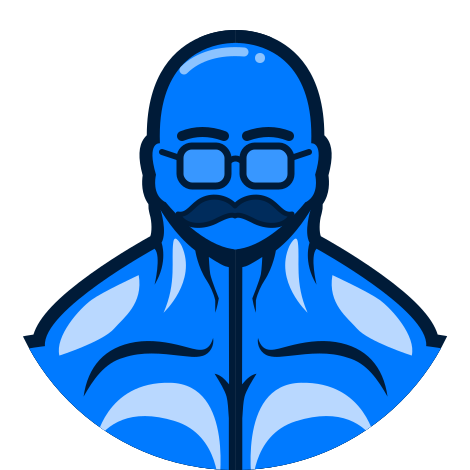 Powerlifting
Jakub
Pushes your limits, spots every PR
When your history says you’re ready, Jakub pushes you to the extra rep or the next load, and is there for every PR like a spotter. Squat, bench and deadlift, top sets and estimated maxes, always with good form.
Ask Jakub anything
Max is your coach unless you pick another. Switch whenever you like: earlier conversations stay as they were written.
Ask Jakub
Ask anything about your training.
“I read every set you log. Ask me anything about your training.” That’s how your coach says hello, and they mean it. Ask why a lift has stalled, what to train today or how heavy to go, and get an answer built from your own workouts.
- Questions suggested for you, from your own training
- Ask from the Coach tab, an exercise, a template or mid-workout
- Describe an exercise in your own words and your coach finds it
- Your coach suggests changes, but never logs a set for you

Reports
A coach’s take on every workout.
Ask Jakub to review a workout and hear what went well and what to change next time, written the way a coach would say it to you. Check a template before you train with it, or ask why one exercise is moving the way it is.
- Review a Workout: what went well and what to change next time
- Review a Template: check a plan before you train with it
- Explain a Trend: how one exercise is moving, and why
- A Review With Jakub button on every finished workout


Build With Jakub
A plan built around you.
Tell your coach what you’re training for, how much time you have, where you train and what needs working around. They build your plan from your history, your equipment and your goal, and you save it as templates, ready to start.
- Seven quick questions, from your goal to the exercises you love or can’t stand
- Adjust anything before you save it
- Saved as templates, ready to start from the Train tab
- One plan free, and as many as you like with Pro


Form Check PRO
Check your form with Jakub.
Prop up your iPhone and Jakub cues every rep as you lift, or pick a video and get the whole set reviewed rep by rep. Every rep gets a technique score, and you get the one thing to try on your next set.
- Squat, lat pulldown, Romanian deadlift, Bulgarian split squat, barbell row and incline bench press
- Scores for range, position, stability, control and consistency
- Replay the set with your skeleton drawn over it
- Form History, to watch your technique change over time
- Your movement is tracked on your iPhone, and videos never leave it


Getting started
Up and running in minutes.
-
Pick your coach
Choose your language, your units and your coach, then tell them your goals, your experience and how often you want to train.
-
Bring your history
Coming from Hevy or Strong? Import your workouts while you set up, so your coach knows you from day one. Fitbod imports from Settings.
-
Train and get coached
Start your next workout from the Train tab, log every set in a tap and let your coach take it from there.


Workouts
Log a set in a single tap.
The set list works like Reminders: tap a number to change it, drag to reorder, check it off when it’s done. Weights and reps carry over from last time, so most sets really are one tap.
- Templates for every routine, ready to start from the Train tab
- A rest timer that starts on its own after every set
- A plate calculator that shows exactly what to load on the bar
- List mode for the whole workout, or Focus Mode for one exercise at a time
- Saved to Apple Health with your heart rate and energy

Insights
Your progress, as clear as Apple Health.
Every set becomes something you can read at a glance: how your lifts are trending, which muscles you trained, how recovered they are, and how close you are to this week’s goal.
- A page for every exercise, with your estimated one-rep max, best sets and trend
- Front and back muscle maps of what you trained and what’s ready to go again
- Weekly goals with a ring that fills as you train
- Pin the insights you care about most to Home


Train Together
Train together, set by set.
Invite a friend into your workout and see each other’s sets the moment they’re logged, whether you share a rack or train across town. When you finish, the workout lands in both your histories.
- Start from any template, or straight from the Train tab
- Invite your circle, or send a private one-time link
- Everyone logs their own weights and reps
- Runs on iCloud, with no extra account

Social
Your gym crew, not the whole internet.
Share your workouts with a private circle of friends. Check in when you get to the gym so they know you’re training, and cheer each other on with likes and comments.
- Profiles with your photo, an emoji or your initials
- Gym check-ins that end on their own
- A feed of your circle’s workouts, with likes and comments
- Private by default: only people you invite see anything


Live Activities
Your workout, right on the Lock Screen.
Lock your iPhone between sets and keep going. Your exercise, your next set and the rest timer stay on the Lock Screen and in the Dynamic Island, and you can complete a set or skip the rest without opening the app.


Your next set, at a glanceExercise, set and rest timer, straight from the workout.
Control it without unlockingPause, skip your rest or complete a set from the Lock Screen.
In the Dynamic IslandYour set and rest timer, while you use other apps.
Your heart rate, tooLive from your Apple Watch while you train.
Complete Set
Check off the set you just did from the Lock Screen, and the next one is ready.
Rest Timer
Counts down in the Dynamic Island and on the Lock Screen, and tells you when it’s time.
On Apple Watch
Log sets with the Digital Crown and Double Tap, feel your rest end on your wrist, and carry on from either device.
Athleon Pro
Free to train. Pro to go further.
Logging, imports, sharing and all nine coaches are free. Pro adds Advanced Coach, unlimited plans, Form Check on every set and four Pro icons.
Athleon
Free
Everything you need to train, with a coach.
- Unlimited workouts, templates and history
- Imports from Hevy, Strong and Fitbod
- Train Together and Social
- All nine coaches, with answers and workout reviews
- One plan built with your coach
- Classic, seven colors and every coach icon
Athleon Pro
1 week free$39.99 a year
That’s $3.33 a month, after a free week. Or $4.99 a month.
- Advanced Coach: sharper answers, reviews and insights
- Unlimited plans from your coach
- Form Check on every set, live or from a video
- The Your Coach widget, with a note for today
- Gold, Platinum, Obsidian and Neon app icons
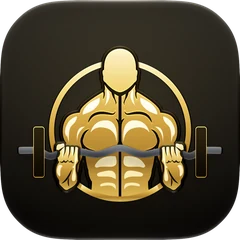
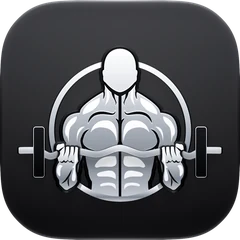
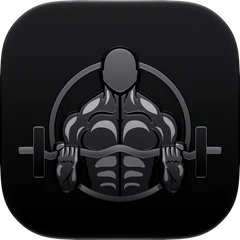
Prices are in US dollars, and the App Store shows yours in your currency. Cancel at least 24 hours before your free week ends and you pay nothing.
Make it yours
Your icon. Your coach. Your language.
Pick the icon for your Home Screen, from the Classic lifter to an icon for every coach. Athleon speaks six languages, and so does your coach.
Colors
-
-
-
-
-
-
-
-


Athleon Pro
-
-
-
-


Coaches
-
-
-
-
-
-
-
-
-


- English
- Deutsch
- Français
- Italiano
- Polski
- Български
No account. No ads. No tracking.
There’s nothing to sign up for. Your training lives on your iPhone and in your own iCloud, and what you share goes only to the people you invite. Your coach sends only what an answer needs, and only if you allow it. Athleon never stores it, and it’s never used to train AI.
- No sign-up
- No analytics or ads
- Coach shares only what you allow
- Shared only with your circle
And so much more
Everything a training app needs.
Exercise Library
More than 300 exercises, each with a video demo and a How To page with tips for good form.
Apple Watch
Start your next workout from your wrist, log sets with the Digital Crown, and see your heart rate as you train.
Widgets
Today’s workout, your weekly goal, records and streak, muscle recovery and, with Pro, a note from your coach.
Apple Health
Set up your profile from Health in a tap, and save your workouts there with heart rate and energy.
Your Gyms
Save the equipment at each gym you train at, from dumbbells to cable machines.
Plate Calculator
See exactly which plates go on each side of the bar for any weight you enter.
iCloud Sync
Your workouts, templates and Form History sync through your own iCloud, with nothing to sign up for.
Siri and Controls
Start your workout or complete a set with Siri, from Control Center or with the Action button.
Share Cards
Turn a finished workout into a clean card for your story, or save it to Photos.
FAQ
Questions, answered.
When can I get Athleon?
Athleon is in its final round of testing and is coming to the App Store soon. Email [email protected] and we’ll let you know the day it launches.
Is Athleon free?
Yes. Logging, templates, history, imports, Train Together, Social and all nine coaches are free, including answers, workout reviews and one plan built with your coach. Athleon Pro adds Advanced Coach, unlimited Coach plans, Form Check, the Your Coach widget and four Pro icons, for $4.99 a month or $39.99 a year with a free first week.
Which coach should I pick?
The one who trains the way you do: Jakub for powerlifting, Max for bodybuilding, Zoe for hybrid racing and conditioning, Kai for mobility and recovery, and so on. Every coach works from the same facts, your logged training, so you can switch whenever you like.
What does my coach know about me?
The workouts you log, such as exercises, sets, reps, loads and effort, and the goals and experience you set up. Your notes and health considerations stay private unless you choose to include them. The privacy policy explains exactly what’s shared and when.
Which devices does it run on?
iPhones with iOS 27, and Apple Watch with watchOS 27. The Apple Watch app can run a workout on its own, or follow the one on your iPhone.
Can I bring my workouts from another app?
Yes. Import from Hevy or Strong while you set up Athleon, or from Hevy, Strong or Fitbod in Settings. Athleon shows you how to export from each app and matches the exercises for you, and your original export is never changed.
Do I need an account?
No. Athleon uses the iCloud account already on your iPhone to sync your training, and for Train Together and Social, so there’s nothing to sign up for.
Who can see my workouts?
Only you, unless you share them. Social and Train Together share with the people you invite, through iCloud. The developer never sees your training, and what your coach sends to write an answer is never stored. The privacy policy has the details.
Your coach is ready.
Athleon is coming soon to iPhone and Apple Watch. Send us a note and we’ll email you the day it’s on the App Store.